Google Just Introduced Web Multimodal for Search Performance Reporting in Search Console
Google introduced web multimodal Search performance reporting in Search Console on Thursday, 24 September 2026. Camera-led and image-led searches now appear in your Performance report. A growing share of your buyers skip to main content by pointing a phone at a product rather than typing a query, and for the first time that behaviour has numbers attached to it.
What did Google change in Search Console on 24 September 2026?
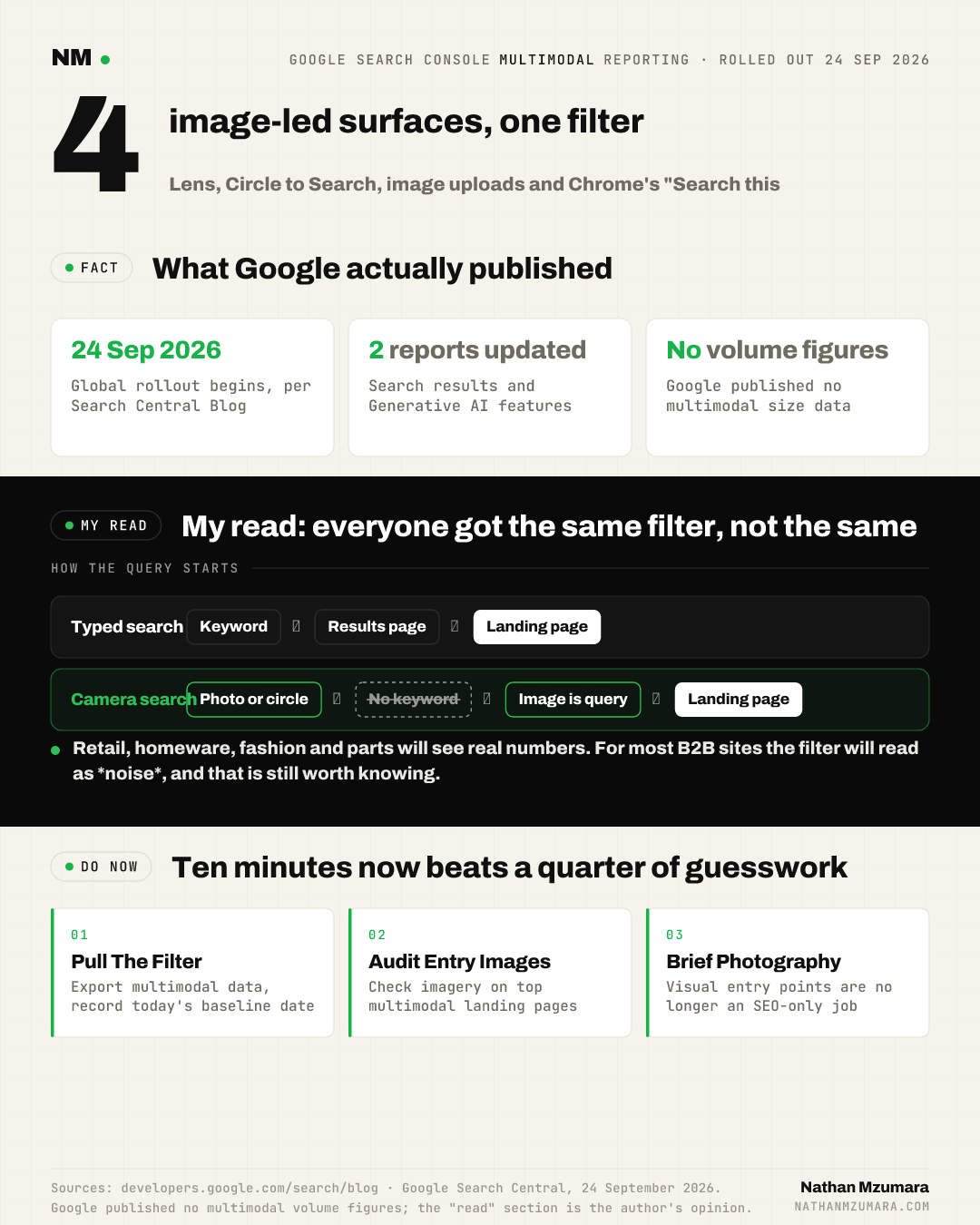
Google added multimodal search data to two places: the report for performance on Search results, and the report for Generative AI features. The change was announced on the Google Search Central Blog by Harsh Kharbanda, Product Manager Lead for Google Lens, and Moshe Samet, Product Manager Lead for Search Console.
Web multimodal search is search where the query is an image rather than typed text. Someone photographs a jacket, circles a sofa on their screen, or right-clicks an image in Chrome, and Google returns web results. Until this release, those visits sat inside your general Search totals with no way to separate them.
Google says the integration of multimodal search data is rolling out globally starting on 24 September 2026. You will only see the metrics if your site is receiving traffic from these queries.

Which surfaces count as multimodal search?
Google named four sources of data in the announcement. Each one is a different way a person starts a search with an image instead of words.
- Google Lens: searches made with a smartphone camera or an existing photo, including in-app Lens queries.
- Circle to Search on Android: a user circles, highlights or scribbles over something on screen to search it.
- Image uploads to Google Search: a user uploads a picture directly into Search.
- Chrome "Search this image": the right-click option inside the Chrome browser.
Those four surfaces now roll up into a single multimodal search type. Notice what they have in common: no keyword, no phrase match, no query the user had to think of first.
How do you find the new multimodal data?
- Open the Performance report in Google Search Console.
- Apply the new multimodal option in the search type filter.
- Check the same filter inside the report for Generative AI features to see how multimodal overlaps with AI surfaces.
- Click "Export" to download the data and analyse it alongside your other tools.
If no data appears, the likely reason is simple: Google says the metrics show only when your site receives traffic from these queries. An empty report is itself a finding.
Why this matters for growth and search teams
A reporting change sounds minor. This one is not, because it measures a demand channel that keyword tools cannot see.
- Images become entry pages, not decoration: if Lens and Circle to Search are sending visits, the image a user photographed is effectively the query. Product shots, packaging and in-situ photography move from brand asset to acquisition asset.
- You can finally size the channel: before 24 September 2026 there was no clean way to separate camera-led visits. Now you can baseline impressions and clicks for multimodal and track them month on month.
- The Generative AI features overlap is the interesting part: Google put multimodal into that report too, which lets you see visual discovery and AI surfaces side by side rather than as separate stories.
- Export first, argue later: the export button means you can join multimodal data to revenue in your own warehouse, instead of quoting Search Console screenshots in a board deck.
This is the same measurement problem that shows up across AI-led discovery, where visibility depends on whether your content is retrieved at all. The pattern we set out in brand visibility in AI search applies here: you cannot optimise a surface you have never measured.
The limits, and where this could disappoint
Google has not published any figures on multimodal volume in this announcement, so nobody outside Google knows how large the channel is yet. Your own export will be the first real evidence you have.
The honest counter-view is that this may confirm multimodal is a rounding error for most sites. Plenty of B2B and service businesses will open the filter and find almost nothing. That is still worth knowing, and it takes ten minutes to check rather than a quarter of guesswork.
My read is that the split will be brutally uneven: retail, homeware, fashion, parts and plants will see real numbers, and the rest will see noise. Google has given everyone the same filter, not the same opportunity.
What to do this week when buyers skip to main content
Pull the multimodal filter in Search Console, export it, and record the baseline with today's date. Then list the top landing pages the filter returns and check what image sits on each one. If camera-led queries are landing on pages with weak, cropped or stock imagery, that is your first fix.
Brief the team that owns product photography, not just the SEO team. Visual entry points are becoming a shared responsibility, in the same way agent-led journeys are, as covered in our piece on buyers hitting skip to content. Google's blog page itself opens with a skip to main content link, and the behaviour is the same idea in human form: people are jumping straight to the thing they want, so when your buyers skip to main content with a camera, make sure the main content is worth landing on.
Tags