Analytics & Measurement
Generative AI features report
Also known as: AI Mode performance report, Search Console generative AI features report, AI features report
A generative AI features report is any reporting view that shows how a site performs inside AI-generated search experiences such as AI Overviews and AI Mode, rather than only in the classic blue link results. In Google Search Console, this data is currently folded into the standard Performance report totals for the Web search type rather than presented as a fully separate, filterable channel. The term is used loosely by practitioners to describe both the official platform data and the custom dashboards they build to approximate it.
What it is
It refers to performance data covering impressions, clicks and related metrics earned when a page is surfaced or cited within generative search features. Google has stated that activity from AI experiences is counted in Search Console's Performance report alongside other Search results, which means it contributes to your totals without being clearly isolated. Because the reporting is aggregated, most teams combine platform data with their own analytics and log analysis to build a fuller picture.
Why it matters
Generative answers change how often a listing is seen and how often a visible listing is clicked, so totals can move for reasons that have nothing to do with ranking position. Without some form of generative AI features reporting, teams misread falling click-through rates as a content or technical problem when the underlying cause is a changed result layout. It also matters commercially, because being cited in an AI answer can drive brand awareness and assisted conversions that never show up as a single clean referral.
How it works
Practitioners start with Search Console Performance data, then segment by query type, page group and device to find clusters where impressions hold steady while clicks fall, which is a common signature of answer-style results. They pair this with server log files and analytics referral data to spot visits and crawls linked to AI assistants, and with manual or automated checks of whether target queries trigger generative features at all. Some teams export the data weekly into a spreadsheet or BI tool so they can track shifts over time rather than relying on the default reporting windows.
When it applies
It applies whenever a meaningful share of your target queries trigger AI-generated answers, which is most common for informational, comparison and how-to intent. It is also relevant during any period of visible search interface change, when you need to explain traffic movement to stakeholders.
Examples
- A SaaS content team notices impressions flat and clicks down 18 percent quarter on quarter for a set of how-to queries, and confirms with manual checks that most of those queries now return an AI-generated answer
- An ecommerce retailer builds a weekly dashboard combining Search Console exports with GA4 referral data so it can separate classic organic clicks from visits arriving via AI assistants
- An agency segments a client's Search Console pages into informational and transactional groups, and reports on each separately because only the informational group is affected by generative results
How it is measured
- Clicks and impressions by page group and query cluster, tracked over time rather than as single-period snapshots
- Click-through rate change for queries known to trigger generative features, compared against a control set that does not
- Referral sessions and assisted conversions from AI assistants and chat interfaces in your analytics platform
- Citation or mention rate: the share of a tracked query set where your domain appears in the generated answer, checked on a fixed schedule
Insights on Generative AI features report
Related terms in Analytics & Measurement
- A/B testingA/B testing is a controlled experiment that shows two or more versions of a page, email or feature to randomly split groups of users and compares how each performs against a chosen goal. It isolates the effect of a single change so improvement can be attributed rather than assumed. It is also called split testing.
- AttributionAttribution is the practice of assigning credit for a conversion to the marketing touchpoints that preceded it. It covers the models, rules and data joins used to decide which channels, campaigns or content get counted. In AI search, attribution is harder because many assistant-led journeys leave little or no referral data.
- Click-through rateClick-through rate is the proportion of people who saw something and then clicked it, expressed as clicks divided by impressions. It is used to judge search listings, ads, emails and internal links. A higher rate usually means the message matched what the audience was looking for.
- Consent ModeConsent Mode is a Google framework that lets tags adjust their behaviour based on the consent choices a visitor has made. Instead of tags being blocked outright, they receive signals about whether analytics and advertising storage are allowed, and act accordingly. Version 2 added parameters covering the use of personal data for ads and for ad personalisation.
- Conversion trackingConversion tracking is the practice of recording the actions you care about, such as purchases, form submissions or calls, and connecting them back to the channel, campaign or session that led to them. It gives advertising platforms and analytics tools the outcome data they need to report performance and optimise bidding. Accuracy depends on correct tag implementation, consent handling and clear conversion definitions.
- Cross-channel reportingCross-channel reporting is the practice of bringing performance data from search, social, email, paid media, AI assistants and other channels into a single view. It standardises metrics and time periods so channels can be compared fairly rather than judged in isolated platform dashboards. The aim is to show how channels work together to produce enquiries, sales and revenue.
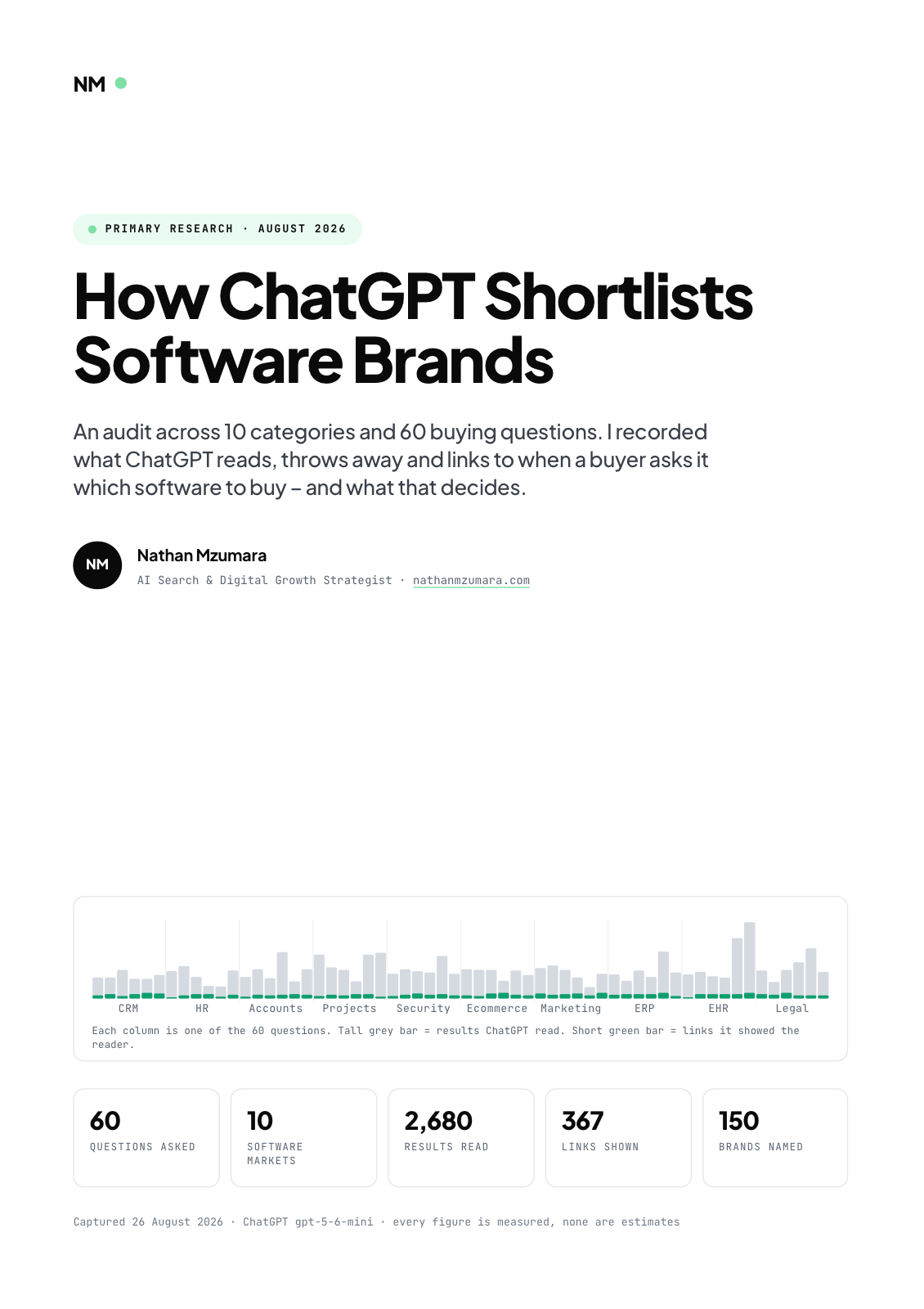
Primary research · August 2026
How ChatGPT Shortlists Software Brands
An audit across 10 categories and 60 buying questions. I recorded what ChatGPT reads, throws away and links to when a buyer asks it which software to buy, and what that decides.
- 60
- Questions asked
- 10
- Software markets
- 2,680
- Results read
- 367
- Links shown
Free download
Get the full report
35 pages · PDF · 536 KB. Enter your details and it downloads straight away.