Tooling
HubSpot
Also known as: HubSpot CRM, HubSpot Marketing Hub
HubSpot is a customer platform that combines CRM, marketing automation, sales tools, service desk and a content management system in one account. Marketing teams use it to publish pages and blogs, capture leads through forms, run email and workflows, and report on pipeline against source. For AI search work it matters mainly as the place where content is published, structured and attributed.
What it is
HubSpot began as a marketing automation product and now sells modular hubs for marketing, sales, service, content and operations, sitting on a shared contact database. Smaller teams often run their whole website and funnel inside it, while larger organisations use it alongside a separate CMS or data warehouse. Pricing tiers control which features, limits and reporting options are available.
Why it matters
If your site, forms and CRM live in one system, you can trace a visit from an AI assistant or search engine through to a deal rather than stopping at a session count. It also controls practical discovery factors: page templates, URL structure, metadata fields, schema options and site speed all depend on how the CMS is configured. Poorly set up, it can hide referral sources or bury useful content behind gated forms that assistants cannot read.
How it works
Practitioners use the CMS to publish crawlable content with clean templates and structured data, forms and lifecycle stages to capture and qualify leads, and workflows to route and nurture them. Source and campaign reporting is used to separate AI assistant referrals from organic and direct, often with custom properties or tracking parameters because default source groupings may lump them together. Lists, custom reports and attribution models then link content to pipeline and closed revenue.
When it applies
Relevant for any team already running HubSpot as their CRM or CMS, and for anyone evaluating whether to consolidate website, email and pipeline reporting in one place. Less relevant where the website sits on a separate enterprise CMS and HubSpot is used only for email.
Examples
- A B2B firm adds a custom source property in HubSpot to tag contacts whose first session came from an AI assistant referrer.
- A services business ungates three pillar guides in the HubSpot CMS so assistants and crawlers can read them, keeping the form on a template download instead.
- An agency builds a HubSpot dashboard showing organic and assistant-referred sessions, form submissions and closed revenue by content topic.
How it is measured
- Contacts and deals created by original source, with AI assistant referrals separated out
- Form submission rate and assisted conversions by landing page or blog topic
- Pipeline and closed revenue attributed to content published in the HubSpot CMS
- Data hygiene indicators such as duplicate contact rate and percentage of contacts with a usable source value
Insights on HubSpot
Related terms in Tooling
- Ahrefs Brand RadarAhrefs' AI-visibility module tracking brand mentions and impressions inside AI answers. Surfaces shifts in how brands appear across ChatGPT, Gemini, and other LLM surfaces.
- AI content detectionAI content detection is the use of software to estimate whether a piece of text, image, audio or video was generated by an AI model. Detectors return a probability or classification rather than proof, and accuracy varies with length, language, editing and model used. Because of that uncertainty, results are treated as a signal for review, not a verdict.
- AI watermarkingAI watermarking is the practice of embedding a signal into AI generated text, images, audio or video so the output can later be identified as machine produced. The signal is usually designed to be imperceptible to people but detectable by software that holds the matching key or detector. It is one of several provenance approaches used alongside metadata standards and content credentials.
- Bot detectionBot detection is the practice of identifying automated traffic to a website or API and separating it from human visitors. It distinguishes wanted automation, such as search engine and AI crawlers, from unwanted activity like scraping, credential stuffing and click fraud. Detection results feed decisions about what to allow, challenge, rate limit or block.
- Brave BrowserBrave is a Chromium based web browser from Brave Software that blocks third party trackers and most ads by default. It bundles privacy controls, Brave Search as the default engine, and an AI assistant called Leo. Because it strips tracking scripts, visits from Brave users are often harder to attribute in analytics.
- Brave SearchBrave Search is a search engine from Brave Software that serves results from its own web index rather than reselling another engine's results. It is the default engine in the Brave browser, offers AI generated answer summaries, and is sold to developers as the Brave Search API. That API makes it a grounding source for other search and AI products.
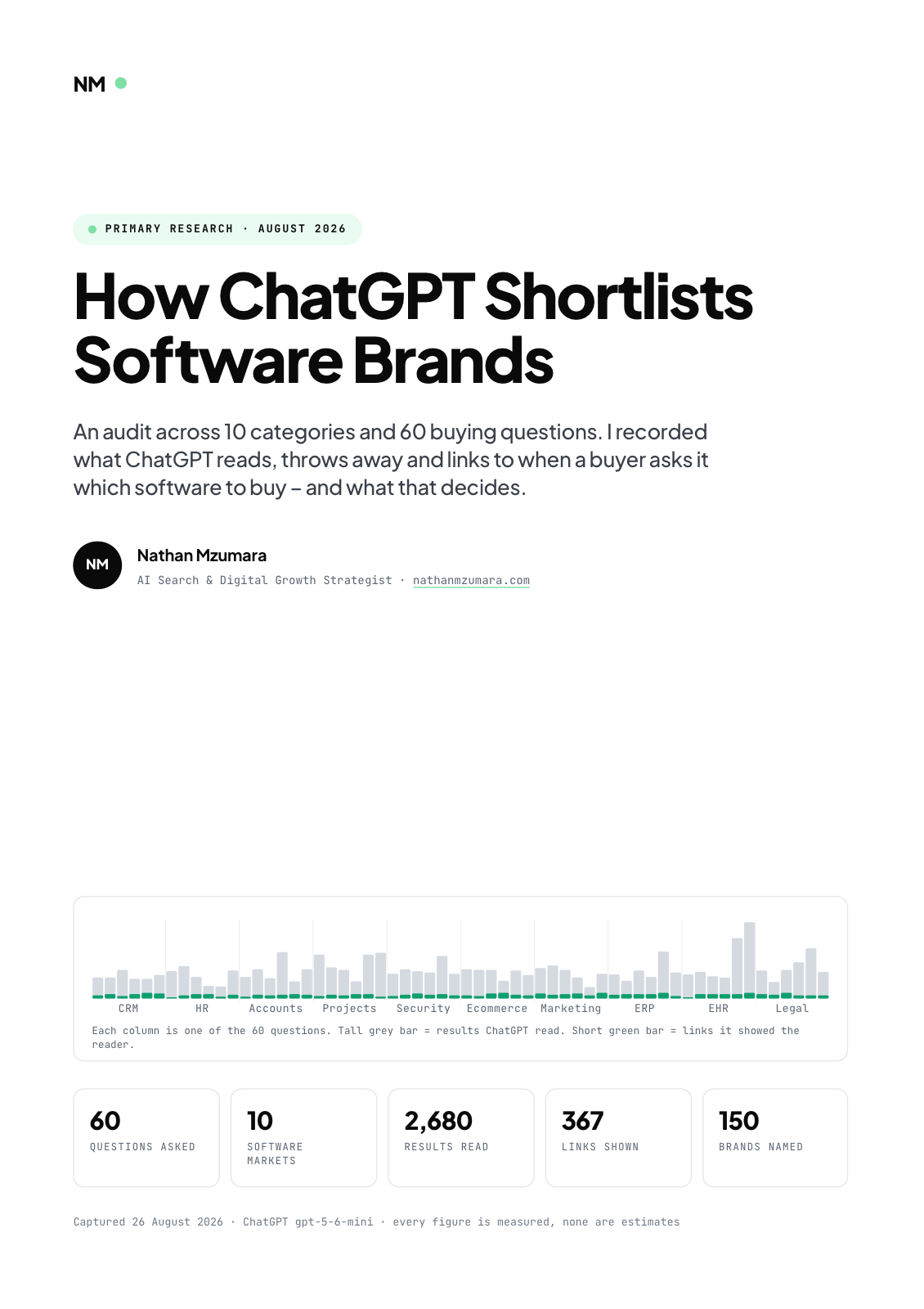
Primary research · August 2026
How ChatGPT Shortlists Software Brands
An audit across 10 categories and 60 buying questions. I recorded what ChatGPT reads, throws away and links to when a buyer asks it which software to buy, and what that decides.
- 60
- Questions asked
- 10
- Software markets
- 2,680
- Results read
- 367
- Links shown
Free download
Get the full report
35 pages · PDF · 536 KB. Enter your details and it downloads straight away.