Google Surface
Rich results
Also known as: rich snippets
Rich results are search listings that Google displays with extra features beyond the standard title, URL and snippet, such as review stars, prices, FAQs, images or event details. They are generated mainly from structured data on the page combined with Google's own eligibility rules. Being eligible does not guarantee the enhanced display will appear.
What it is
A rich result is any organic listing enhanced with additional data or visual elements drawn from a page's markup. Common types include product listings with price and availability, recipes with cook time and ratings, events, job postings, breadcrumbs, videos and how to steps. Google documents each supported type with required and recommended properties.
Why it matters
Rich results take up more space in the results page and give searchers decision making information before they click, which can improve click through rate and qualify traffic. They also make page content machine readable, which helps other systems, including AI answer features and shopping surfaces, interpret entities, prices and relationships. For competitive result pages, the visual difference between a plain listing and an enhanced one is often what drives the click.
How it works
Practitioners add schema.org markup, usually in JSON-LD, that matches the visible content of the page, then validate it with the Rich Results Test and monitor the Enhancements reports in Search Console. Markup must reflect what users actually see, so review stars need genuine on page reviews and product prices need to match the live price. Ongoing work involves fixing errors flagged in Search Console, covering templates rather than individual pages, and removing markup for types Google no longer displays.
When it applies
Rich results apply wherever a page fits a supported type, most commonly ecommerce product pages, recipes, events, local businesses, video pages and job listings. They are a priority when competitors already show enhanced listings for your target queries.
Examples
- A product page shows price, availability and a review rating under the listing because of Product and AggregateRating markup.
- A venue's event pages appear with dates and locations in a list format after adding Event structured data.
- A recruiter's vacancies surface in the Google job search experience via JobPosting markup with salary and location.
How it is measured
- Valid, warning and error item counts by type in the Search Console Enhancements reports
- Impressions and clicks for pages with markup, segmented before and after implementation
- Click through rate for query sets where rich features appear versus plain listings
- Share of key templates covered by validated structured data
Insights on Rich results
Related terms in Google Surface
- AI ModeGoogle's standalone AI-first search experience inside Search itself, a conversational, multi-step interface for complex queries. Different ranking and citation logic from classical SERP.
- AI OverviewsGoogle's generative answer shown at the top of the SERP for eligible queries. Sourced from the open web, cites multiple pages, and increasingly replaces the traditional snippet for informational intent. Successor to the SGE experiment.
- AndroidAndroid is Google's mobile operating system, used on phones, tablets, televisions and other devices from many manufacturers. For marketers it is a discovery surface as well as a platform, because it ships with Chrome, the Google app, Google Play and Google's assistant features. Being visible on Android means being findable through those entry points, not only through a browser.
- Circle to SearchCircle to Search is an Android feature that lets people search whatever is on their screen by circling, highlighting or tapping it, without leaving the app they are in. It sends the selected content, image or text, to Google as a query and shows results in an overlay. It was introduced on selected Android devices in 2024.
- DiscoverGoogle's personalised feed in the Google app and on Android. Algorithmically curated, no query needed, driven by topical interest signals and freshness. Material traffic source for publishers.
- Google Business ProfileGoogle Business Profile is the free Google tool that lets a business manage how it appears in Google Search, Google Maps and local results. It holds core details such as name, address, phone number, opening hours, categories, photos, products, services and reviews. Formerly called Google My Business, it is the main control panel for a business's local presence on Google.
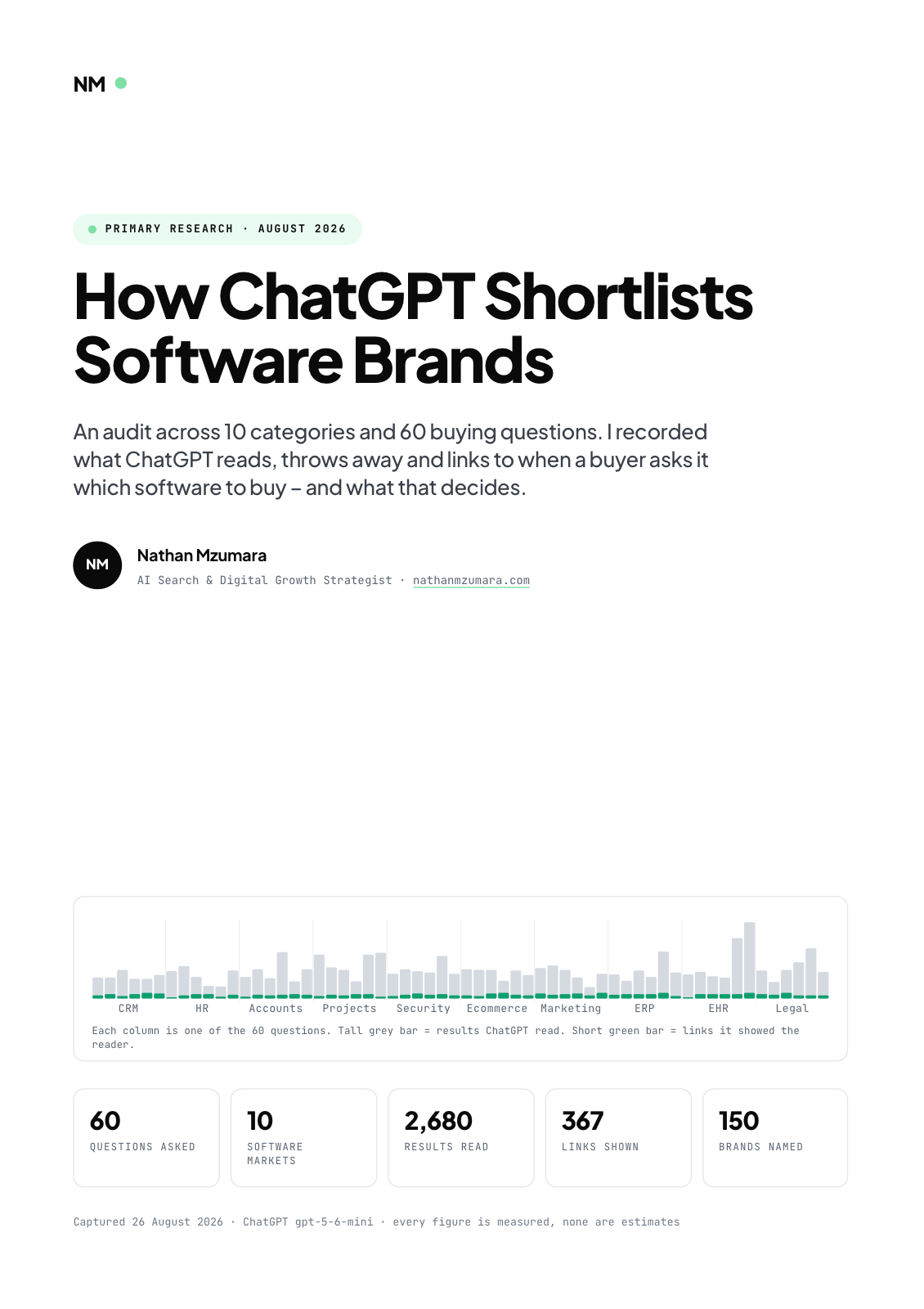
Primary research · August 2026
How ChatGPT Shortlists Software Brands
An audit across 10 categories and 60 buying questions. I recorded what ChatGPT reads, throws away and links to when a buyer asks it which software to buy, and what that decides.
- 60
- Questions asked
- 10
- Software markets
- 2,680
- Results read
- 367
- Links shown
Free download
Get the full report
35 pages · PDF · 536 KB. Enter your details and it downloads straight away.