Google Surface
AI Mode
Google's standalone AI-first search experience inside Search itself, a conversational, multi-step interface for complex queries. Different ranking and citation logic from classical SERP.
What it is
AI Mode is Google's standalone, AI-first experience inside Search: a conversational, multi-step interface built for complex or open-ended queries. It uses its own ranking and citation logic that differs from the classical SERP.
Why it matters
As users shift complex research into multi-turn conversations, presence here shapes discovery across an entire reasoning chain rather than a single query, compounding your influence on the final answer.
How it works
It decomposes a query into sub-queries (a fan-out), gathers and reconciles sources across turns, and cites the pages that best satisfy each step, so depth, structured coverage of a topic, and entity clarity help you surface repeatedly.
When it applies
It applies when a user opts into a conversational, multi-step session for research, planning, or comparison rather than a quick factual lookup.
Examples
- A user planning a trip refines results across several turns, with your guide cited at the itinerary stage.
- A buyer narrows options conversationally and your comparison page is referenced as criteria are added.
- A researcher asks follow-up questions and your explainer is cited across multiple steps of the thread.
How it is measured
- Citation rate across multi-turn sessions for a topic.
- Number of distinct conversational steps in which your content is referenced.
- Follow-up query coverage: share of likely sub-questions your content can answer.
- Referral traffic attributed to AI Mode sessions.
Related terms in Google Surface
- AI OverviewsGoogle's generative answer shown at the top of the SERP for eligible queries. Sourced from the open web, cites multiple pages, and increasingly replaces the traditional snippet for informational intent. Successor to the SGE experiment.
- AndroidAndroid is Google's mobile operating system, used on phones, tablets, televisions and other devices from many manufacturers. For marketers it is a discovery surface as well as a platform, because it ships with Chrome, the Google app, Google Play and Google's assistant features. Being visible on Android means being findable through those entry points, not only through a browser.
- Circle to SearchCircle to Search is an Android feature that lets people search whatever is on their screen by circling, highlighting or tapping it, without leaving the app they are in. It sends the selected content, image or text, to Google as a query and shows results in an overlay. It was introduced on selected Android devices in 2024.
- DiscoverGoogle's personalised feed in the Google app and on Android. Algorithmically curated, no query needed, driven by topical interest signals and freshness. Material traffic source for publishers.
- Google Business ProfileGoogle Business Profile is the free Google tool that lets a business manage how it appears in Google Search, Google Maps and local results. It holds core details such as name, address, phone number, opening hours, categories, photos, products, services and reviews. Formerly called Google My Business, it is the main control panel for a business's local presence on Google.
- Google LensGoogle Lens is Google's visual search tool, which lets people search using their phone camera, a photo from their gallery or an image on screen. It identifies objects, text, places and products, and returns matching or related results. It is built into the Google app, Google Photos, Chrome and parts of Android.
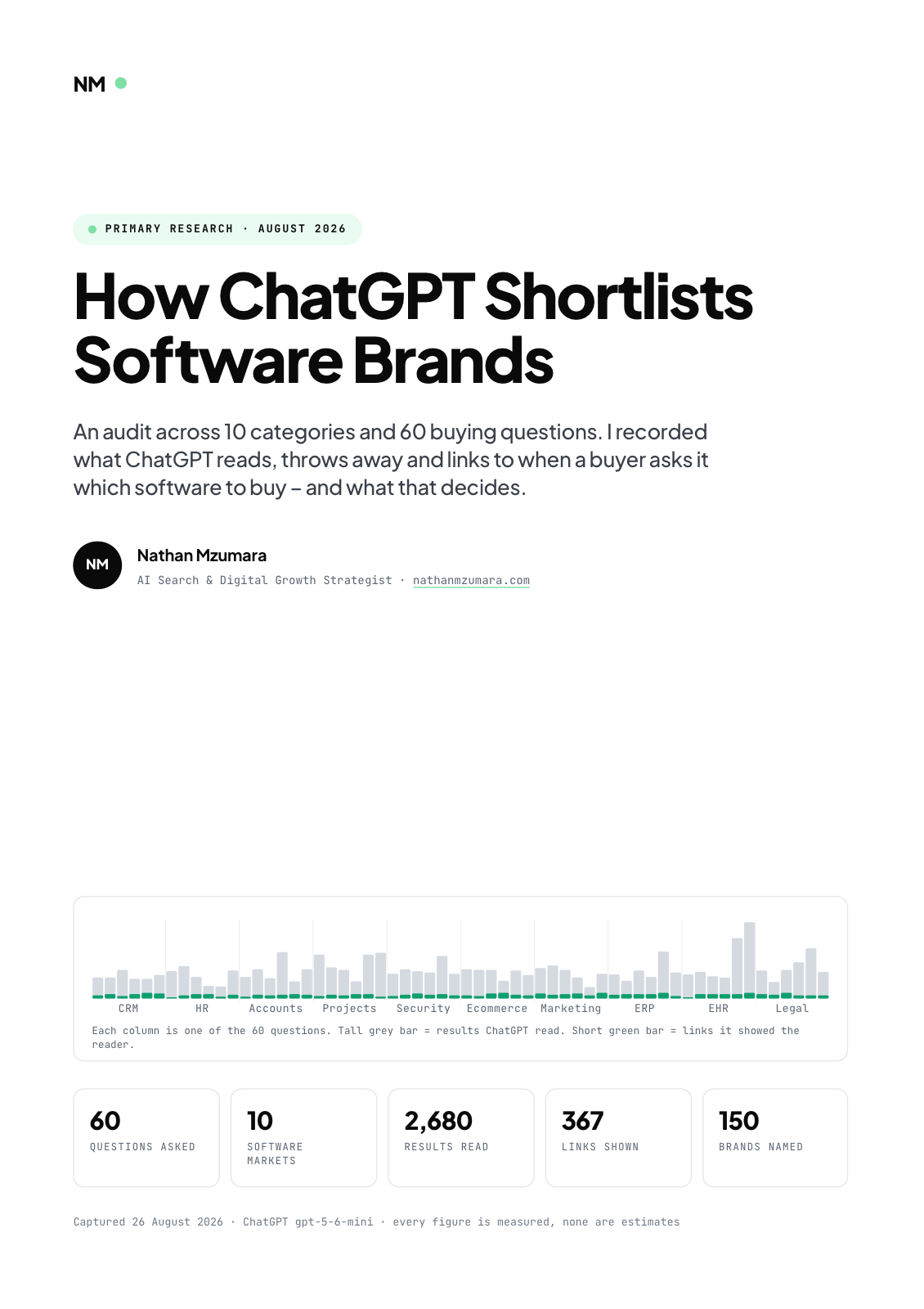
Primary research · August 2026
How ChatGPT Shortlists Software Brands
An audit across 10 categories and 60 buying questions. I recorded what ChatGPT reads, throws away and links to when a buyer asks it which software to buy, and what that decides.
- 60
- Questions asked
- 10
- Software markets
- 2,680
- Results read
- 367
- Links shown
Free download
Get the full report
35 pages · PDF · 536 KB. Enter your details and it downloads straight away.